Cryptomator for Mac: Free Encryption for iCloud, Dropbox and Google Drive
Cloud storage is convenient, but your files sit on someone else's servers. A leak, a hacked account or a nosy employee could expose them.
Cryptomator encrypts files on your Mac before they're uploaded. In the cloud they're scrambled; on your Mac they appear as a normal drive. It's free and open source.
What is Cryptomator?
Cryptomator is a free, open-source encryption app for Mac, Windows and Linux, with paid mobile apps. It creates an encrypted 'vault' inside a cloud-synced folder such as iCloud Drive, Dropbox, Google Drive or OneDrive. When you unlock the vault with your password, it appears in Finder like a drive, and anything you put in it is encrypted with AES-256 before syncing, including file names.
Key features
Encrypted before upload
Files are scrambled on your Mac, so the cloud only ever sees encrypted data.
Works like a drive
Unlock a vault and use it in Finder like any other folder.
Any cloud service
Works with iCloud Drive, Dropbox, Google Drive, OneDrive and more.
How to get started with Cryptomator
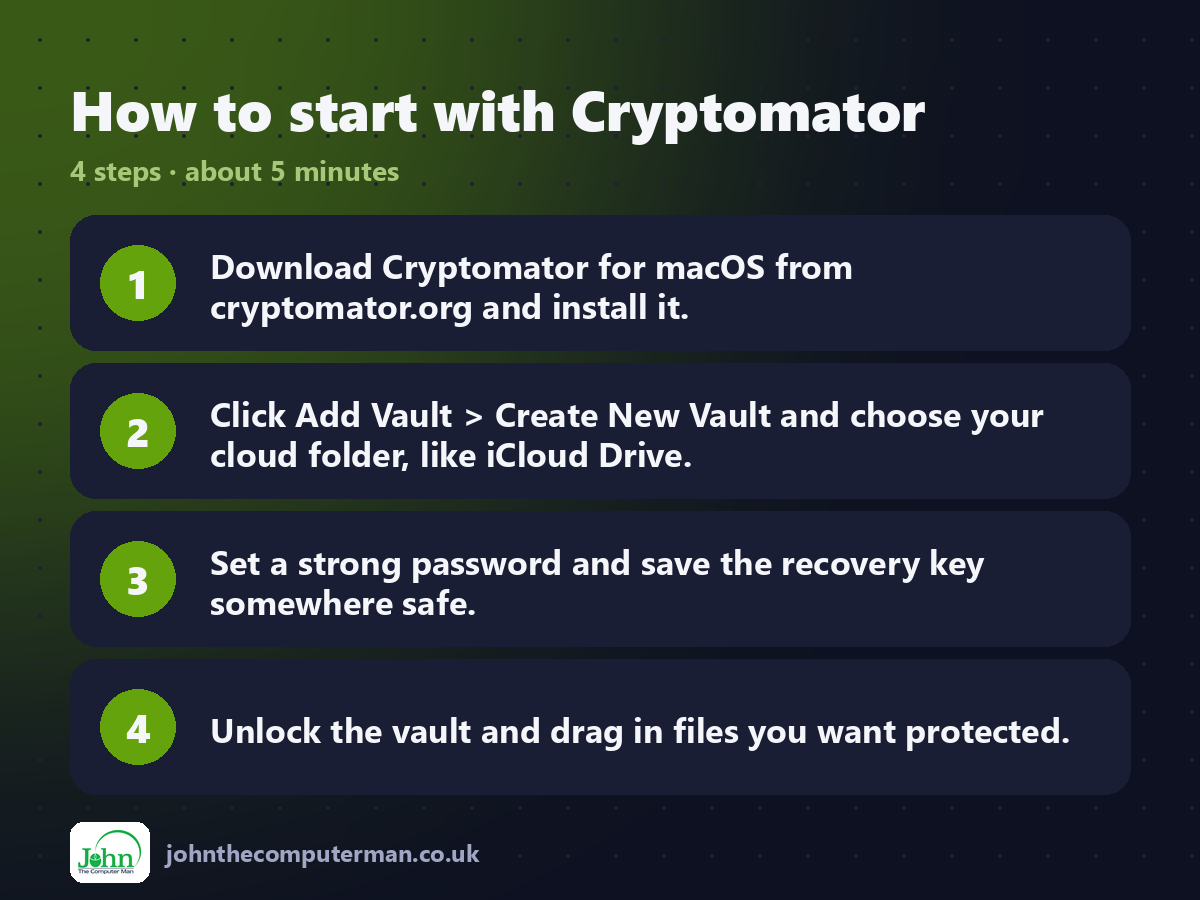
1. Download Cryptomator for macOS from cryptomator.org and install it.
2. Click Add Vault > Create New Vault and choose your cloud folder, like iCloud Drive.
3. Set a strong password and save the recovery key somewhere safe.
4. Unlock the vault and drag in files you want protected.
2. Click Add Vault > Create New Vault and choose your cloud folder, like iCloud Drive.
3. Set a strong password and save the recovery key somewhere safe.
4. Unlock the vault and drag in files you want protected.
Prefer the command line? If you use Homebrew, the free package manager for Mac, open Terminal and run:
brew install --cask cryptomator
Tips to get more out of it
• Save the recovery key. If you forget your password, it's the only way back in.
• Only files inside the vault are encrypted. Move sensitive files into it.
• Lock the vault when you're finished, or set it to lock automatically.
• The iPhone and Android apps are paid, but the desktop app is free.
• Only files inside the vault are encrypted. Move sensitive files into it.
• Lock the vault when you're finished, or set it to lock automatically.
• The iPhone and Android apps are paid, but the desktop app is free.
Is it really free?
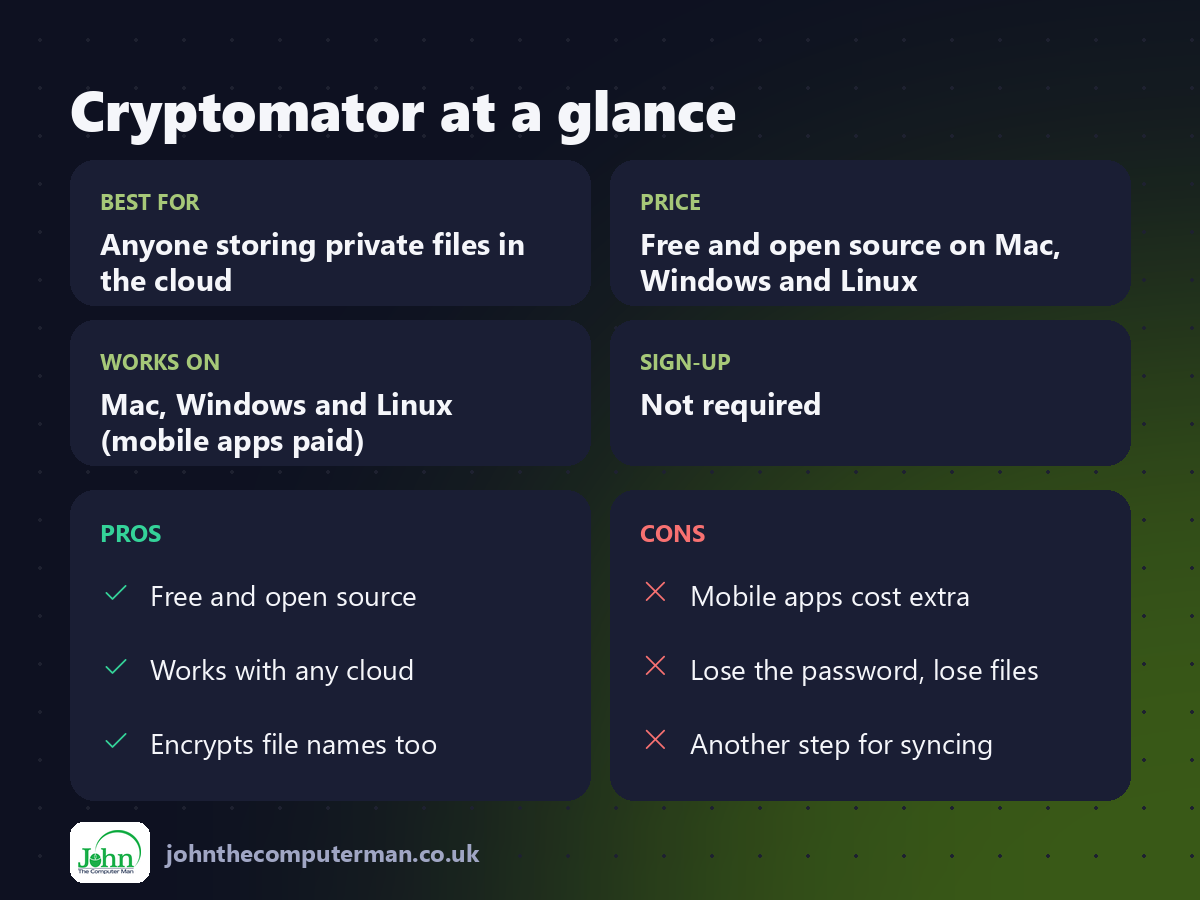
Free and open source on Mac, Windows and Linux. Mobile apps are paid.
Pros and cons
| 👍 Pros | 👎 Cons |
|---|---|
| Free and open source | Mobile apps cost extra |
| Works with any cloud | Lose the password, lose files |
| Encrypts file names too | Another step for syncing |
Who is it for?
Best for: Anyone storing private files in the cloud. Works on: Mac, Windows and Linux (mobile apps paid). Sign-up: Not required.
Cryptomator alternatives
• Advanced Data Protection: Apple's built-in end-to-end encryption for most of iCloud.
• Proton Drive: encrypted cloud storage with a free plan.
• VeraCrypt: free encrypted drives, more technical on a Mac.
• Proton Drive: encrypted cloud storage with a free plan.
• VeraCrypt: free encrypted drives, more technical on a Mac.
FAQ
What if I forget my password?
Use the recovery key you saved when creating the vault. Without either, nobody can open it, not even Cryptomator.
Do I need it if I use Advanced Data Protection?
Not for iCloud. It's still useful for Dropbox, Google Drive and OneDrive, or if you want encryption you control.
The verdict
Cryptomator is the easiest way to keep private files private in the cloud. Set up one vault for sensitive documents and you'll sleep better.
👉 Try it: cryptomator.org
Part of the free mac apps that replace paid software series on johnthecomputerman.co.uk. Follow @johnthecomputerman on Instagram for a new free Mac tool every Monday, Wednesday and Friday. Pricing and features were checked in September 2026 and can change, so check the tool's own site for the latest.
