20 Free Mac Apps That Replace Paid Software in 2027
Office suites, photo editors, design tools, virtual machines, text expanders: add up the subscriptions and it's easy to spend hundreds a year just to keep a Mac useful. For most home users and plenty of small businesses, you don't have to.
Every app below is free to use, 19 of the 20 are open source, and none need an account. Together they cover documents, email, ebooks, photos, design, art, video, audio, music, 3D, Windows apps, typing shortcuts, encryption and even private AI. Each one links to a full guide with setup steps, tips and honest pros and cons.
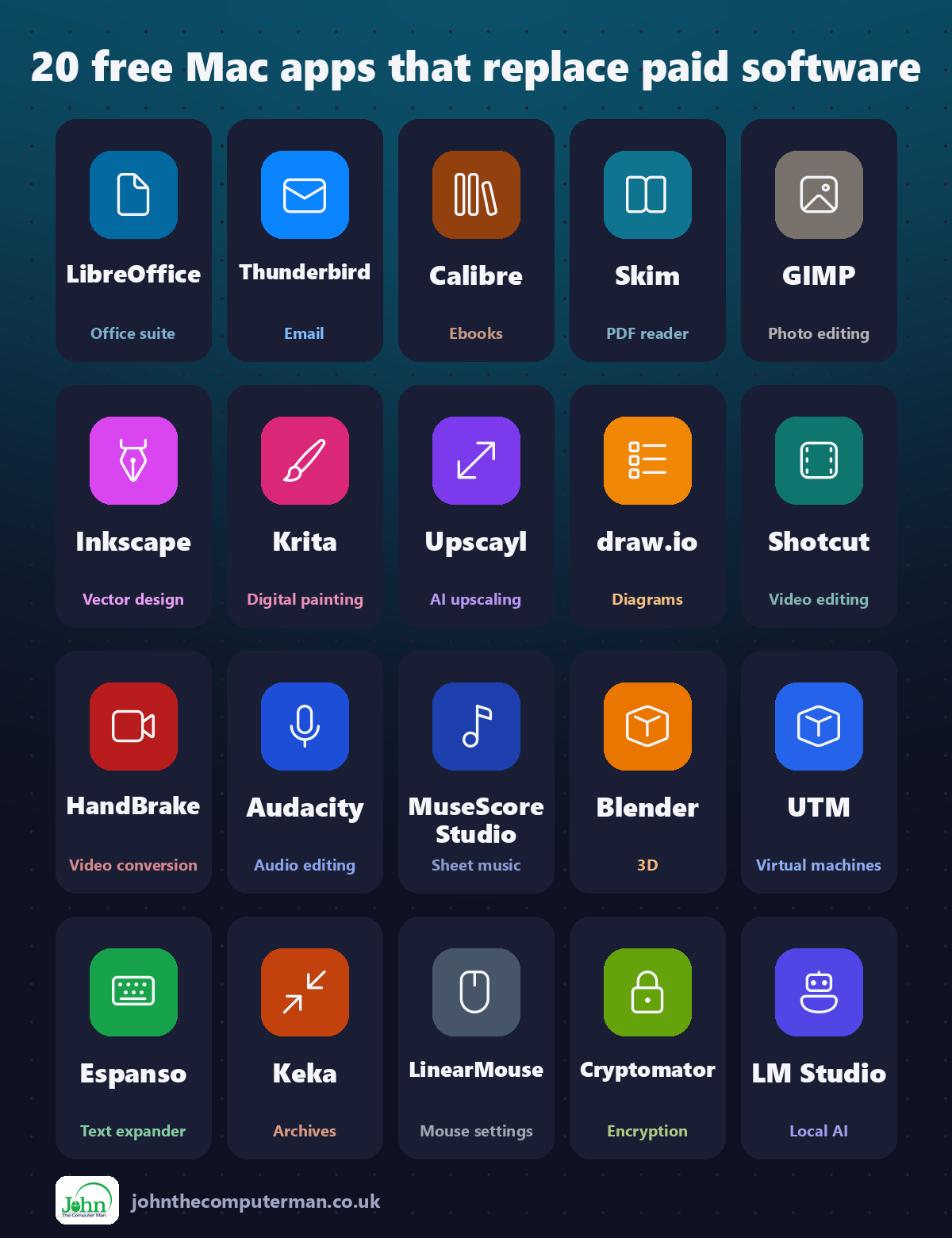
Quick comparison
| Tool | What it does | Free for | Best for |
|---|---|---|---|
| LibreOffice | Office suite | Everyone | Home users, students and small businesses |
| Thunderbird | Everyone | People juggling several email accounts | |
| Calibre | Ebooks | Everyone | Book lovers with ebooks from lots of places |
| Skim | PDF reader | Everyone | Students, researchers and anyone reading long PDFs |
| GIMP | Photo editing | Everyone | Hobby photographers and anyone who edits images now and then |
| Inkscape | Vector design | Everyone | Logo design, crafters and anyone making graphics |
| Krita | Digital painting | Everyone | Illustrators, comic artists and hobby painters |
| Upscayl | AI upscaling | Everyone | Printing old photos and enlarging small images |
| draw.io | Diagrams | Everyone | Flowcharts, process maps and IT diagrams |
| Shotcut | Video editing | Everyone | YouTubers, families and anyone editing video on a budget |
| HandBrake | Video conversion | Everyone | Anyone with large videos to share or store |
| Audacity | Audio editing | Everyone | Podcasters, teachers and anyone recording their voice |
| MuseScore Studio | Sheet music | Everyone | Music students, teachers and composers |
| Blender | 3D | Everyone | 3D artists, game makers, students and hobbyists |
| UTM | Virtual machines | Everyone | Anyone who needs Windows or Linux now and then |
| Espanso | Text expander | Everyone | Anyone who types the same things often |
| Keka | Archives | Everyone | Anyone who emails or backs up files |
| LinearMouse | Mouse settings | Everyone | Anyone using a mouse with a Mac |
| Cryptomator | Encryption | Everyone | Anyone storing private files in the cloud |
| LM Studio | Local AI | Everyone | Curious users and anyone who wants private AI |
Documents, email and reading
1. LibreOffice: a free office suite that opens Word, Excel and PowerPoint files
Microsoft 365 costs money every year, and plenty of people only need it for the occasional letter, spreadsheet or school presentation.
Why it's great: Open, edit and save Word, Excel and PowerPoint files and send them back to anyone.
Is it free? Free and open source, for home and business use. No ads, no account and no subscription.
2. Thunderbird: a free, open-source email app with a calendar built in
Apple Mail is fine, but it's basic, and many email apps now push subscriptions for features like snoozing, templates or a combined calendar.
Why it's great: Gmail, Outlook, iCloud and work email together, with a unified inbox.
Is it free? Free and open source, funded by donations. No ads and no paid version of the app.
3. Calibre: the free ebook manager, converter and reader
Ebooks end up everywhere: downloads, email attachments, old folders from a previous computer. Some are EPUB, some PDF, some formats your reader won't open.
Why it's great: Import all your ebooks and Calibre sorts them by author, series and tags.
Is it free? Free and open source. No ads, no account and no paid version. Donations are welcome.
4. Skim: a free PDF reader and note-taker for your Mac
Preview is good for a quick look at a PDF. But if you read long reports, textbooks or research papers, you'll want better ways to highlight, take notes and find them again.
Why it's great: Highlight, underline and add notes, all listed in a searchable panel.
Is it free? Free and open source. No ads, no account and no paid version.
Photos, design and art
5. GIMP: the free, open-source photo editor
Photoshop is brilliant, but it's also a monthly subscription. If you only edit photos now and then, that adds up fast.
Why it's great: Build up edits in layers and hide parts with masks, just like in Photoshop.
Is it free? Free and open source. No ads, no account and no paid version.
6. Inkscape: the free, open-source alternative to Adobe Illustrator
Logos, icons and designs for cutting machines need to stay sharp at any size. That's vector design, and the go-to app for it, Adobe Illustrator, is a subscription.
Why it's great: Vector designs scale from a business card to a billboard without going blurry.
Is it free? Free and open source, for personal and commercial work. No ads and no account.
7. Krita: a free, professional painting app made by artists
Digital art apps are often expensive or tied to a subscription, which is a lot to ask when you're just starting out or drawing for fun.
Why it's great: Pencils, inks, watercolours and textures, all customisable.
Is it free? Free and open source, for personal and commercial work. No ads and no account.
8. Upscayl: free AI image upscaling that runs on your Mac
Old photos, tiny web images and screenshots look blurry the moment you try to print or enlarge them. Paid AI upscalers can fix that, at a price.
Why it's great: Enlarge images while AI fills in sharp detail instead of blur.
Is it free? Free and open source. No ads, no account and no paid version of the desktop app.
9. draw.io: free flowcharts, org charts and diagrams, offline
Flowcharts, family trees, org charts and office network maps all need a diagram app, and the popular ones like Visio and OmniGraffle are expensive.
Why it's great: Flowcharts, networks, floor plans, UML and more, in searchable libraries.
Is it free? Free and open source. No ads, no account and no paid version.
Video, audio and music
10. Shotcut: a free, open-source video editor with no watermark
iMovie is fine for quick edits, but it's limited. Many 'free' video editors stamp a watermark on your video or lock exports behind a paywall.
Why it's great: Multiple video and audio tracks, trims, splits and transitions.
Is it free? Free and open source. No watermark, no ads and no paid version.
11. HandBrake: the free video converter that shrinks and converts any video
A ten-minute iPhone video can easily be a gigabyte or more. Too big to email, slow to upload, and eating your storage.
Why it's great: Cut file sizes dramatically, with quality that's hard to tell apart.
Is it free? Free and open source. No ads, no watermark and no paid version.
12. Audacity: the free audio editor for podcasts, voiceovers and music
Recording a podcast, a voiceover or a quick demo? GarageBand is great for music, but for trimming, cleaning up and fixing spoken audio it can feel like overkill.
Why it's great: Record from any microphone, then cut, copy and move clips on a simple timeline.
Is it free? Free and open source. No ads, no account and no paid version.
13. MuseScore Studio: free, open-source music notation software
Sheet music software has traditionally been expensive, and when Finale was discontinued in 2024 many musicians went looking for a new home.
Why it's great: From lead sheets to orchestral scores, with lyrics, chords and dynamics.
Is it free? Free and open source. Muse Sounds are free too. No paid version of the app.
3D and Windows apps
14. Blender: free, professional 3D modelling, animation and rendering
Professional 3D software can cost thousands a year. That puts it out of reach for most hobbyists, students and small studios.
Why it's great: Everything from simple objects to full animated characters.
Is it free? Free and open source, for any use. No ads, no account and no paid version.
15. UTM: free virtual machines for running Windows and Linux on a Mac
Sometimes you need Windows for just one app, or want to try Linux without touching your Mac. Parallels does that brilliantly, but it's a yearly subscription.
Why it's great: Run Windows 11 for ARM or a Linux distribution alongside your Mac apps.
Is it free? Free and open source from its website. The Mac App Store version costs a little and is the same app, to support the developers.
Work smarter and stay private
16. Espanso: a free, open-source text expander for your Mac
Your email address, your home address, the same reply to the same question. You type them dozens of times a week.
Why it's great: Mail, Safari, Word, Slack: type a trigger anywhere and it expands.
Is it free? Free and open source. No ads, no account and no paid version.
17. Keka: a free archiver that creates 7z, ZIP and encrypted archives
Your Mac can make a ZIP file, but that's about it. No password protection, no 7z, and no way to split a huge file into smaller parts.
Why it's great: Encrypt ZIP and 7z files with AES-256 before you email or upload them.
Is it free? Free to download from keka.io. The Mac App Store version is paid, to support the developer.
18. LinearMouse: free mouse settings macOS doesn't give you
On a Mac, 'natural' scrolling applies to your trackpad and your mouse together. Many people want it natural on the trackpad but reversed on the mouse, and macOS won't let you.
Why it's great: Natural on the trackpad, traditional on the mouse. Finally.
Is it free? Free and open source. No ads, no account and no paid version.
19. Cryptomator: free encryption for your cloud storage
Cloud storage is convenient, but your files sit on someone else's servers. A leak, a hacked account or a nosy employee could expose them.
Why it's great: Files are scrambled on your Mac, so the cloud only ever sees encrypted data.
Is it free? Free and open source on Mac, Windows and Linux. Mobile apps are paid.
20. LM Studio: run AI chat models privately and offline on your Mac

AI chat assistants are useful, but the best ones cost a monthly subscription, and everything you type goes to someone else's servers.
Why it's great: Once a model is downloaded, your chats never leave your Mac.
Is it free? Free for home and work use. Not open source.
Install all twenty in one go
If you use Homebrew, the free command-line app installer for Mac, open Terminal and paste this to install the whole list from the official sources:
brew install --cask libreoffice thunderbird calibre skim gimp inkscape krita upscayl drawio shotcut handbrake-app audacity musescore blender utm espanso keka linearmouse cryptomator lm-studio
Later, brew upgrade --cask --greedy updates them all in one go. Don't want to use Terminal? Every app has a download link above, and it's the same app either way.
Where to start
Start with whatever you're paying for. If it's Microsoft 365 just for the odd document, try LibreOffice for a month. If it's Photoshop for occasional edits, give GIMP a proper go, and if you keep Parallels for one Windows app, see whether UTM does the job. Then add two quick wins that cost nothing: Espanso to stop retyping the same things, and HandBrake to shrink the videos eating your storage.
One last tip: download only from the official sites linked above. Fake download pages that bundle adware with popular free apps are common, and they often appear above the real site in search results.
More in this series: Best Free Mac Tools · 10 More Free Mac Tools · Hidden-Gem Mac Apps · Free Creative Apps for Mac
All tools were free to use at the time of writing (September 2026). Licences change, so check each tool's site for current details. More free tech tips at johnthecomputerman.co.uk and @johnthecomputerman on Instagram.
