Keka for Mac: Create 7z and Password-Protected ZIP Files for Free
Your Mac can make a ZIP file, but that's about it. No password protection, no 7z, and no way to split a huge file into smaller parts.
Keka adds all of that. Drag files onto it and you get a compressed, optionally encrypted archive in seconds. It opens RAR, 7z and more too.
What is Keka?
Keka is a file archiver for macOS. It creates 7z, ZIP, TAR, GZIP and other archives, with optional AES-256 password encryption and splitting into smaller parts, and extracts formats including RAR, 7z, ISO and DMG. It's free to download from keka.io and open source, with a paid Mac App Store version that supports the developer.
Key features
Password-protected archives
Encrypt ZIP and 7z files with AES-256 before you email or upload them.
Smaller files with 7z
7z usually compresses much better than ZIP, which is handy for big folders.
Split big files
Break a huge file into smaller parts to fit upload or email limits.
How to get started with Keka
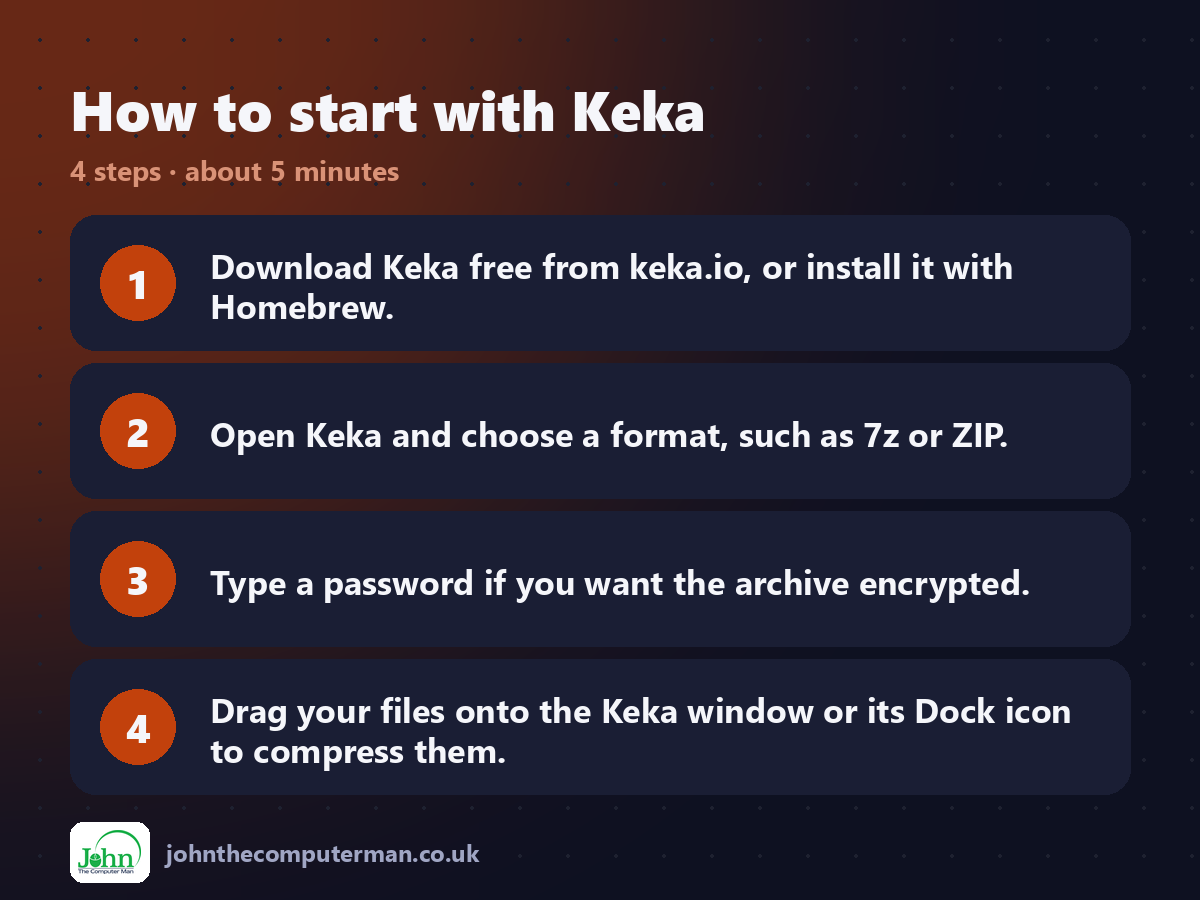
1. Download Keka free from keka.io, or install it with Homebrew.
2. Open Keka and choose a format, such as 7z or ZIP.
3. Type a password if you want the archive encrypted.
4. Drag your files onto the Keka window or its Dock icon to compress them.
2. Open Keka and choose a format, such as 7z or ZIP.
3. Type a password if you want the archive encrypted.
4. Drag your files onto the Keka window or its Dock icon to compress them.
Prefer the command line? If you use Homebrew, the free package manager for Mac, open Terminal and run:
brew install --cask keka
Tips to get more out of it
• Sending to a Windows or Mac user without Keka? Use ZIP so they can open it without extra apps.
• Tick 'Encrypt file names' for 7z so nobody can even see what's inside.
• Turn on the Finder extension in Keka's settings to compress from the right-click menu.
• Use the split option to break a big video into 1 GB parts.
• Tick 'Encrypt file names' for 7z so nobody can even see what's inside.
• Turn on the Finder extension in Keka's settings to compress from the right-click menu.
• Use the split option to break a big video into 1 GB parts.
Is it really free?
Free to download from keka.io. The Mac App Store version is paid, to support the developer.
Pros and cons
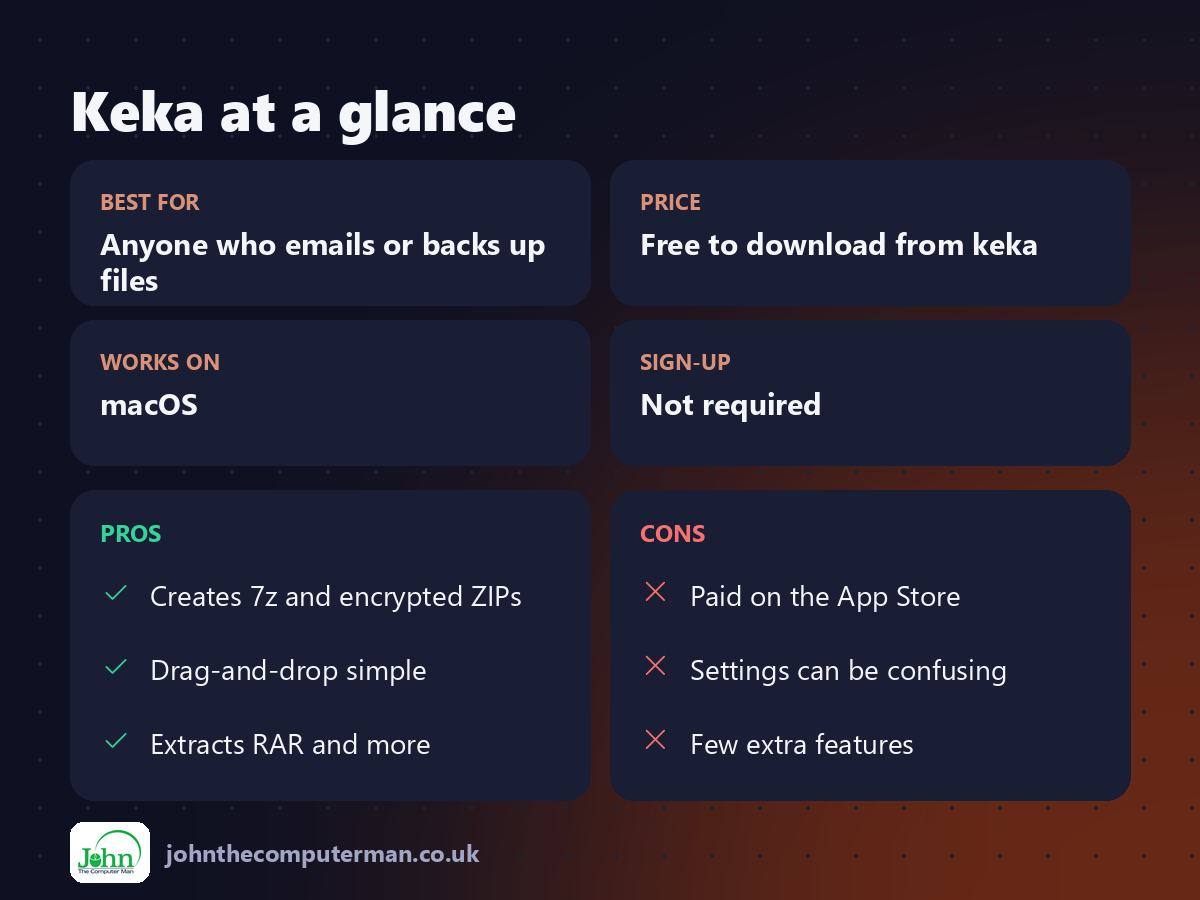
| 👍 Pros | 👎 Cons |
|---|---|
| Creates 7z and encrypted ZIPs | Paid on the App Store |
| Drag-and-drop simple | Settings can be confusing |
| Extracts RAR and more | Few extra features |
Who is it for?
Best for: Anyone who emails or backs up files. Works on: macOS. Sign-up: Not required.
Keka alternatives
• The Unarchiver: free and great for opening archives, but it can't create them.
• BetterZip: a paid archiver with previews and more control.
• Finder's Compress: built in and quick, but ZIP only and no password.
• BetterZip: a paid archiver with previews and more control.
• Finder's Compress: built in and quick, but ZIP only and no password.
FAQ
Is Keka free?
Yes, from keka.io. The Mac App Store version is the same app with a price tag to support the developer.
Can Windows users open Keka archives?
Yes. ZIP opens anywhere, and 7z opens in 7-Zip or recent versions of Windows 11.
The verdict
Keka fills the gap macOS leaves: proper archives with passwords. It's free, tiny and quick, and it's worth having even if you only need it once a month.
👉 Try it: www.keka.io
Part of the free mac apps that replace paid software series on johnthecomputerman.co.uk. Follow @johnthecomputerman on Instagram for a new free Mac tool every Monday, Wednesday and Friday. Pricing and features were checked in September 2026 and can change, so check the tool's own site for the latest.
