
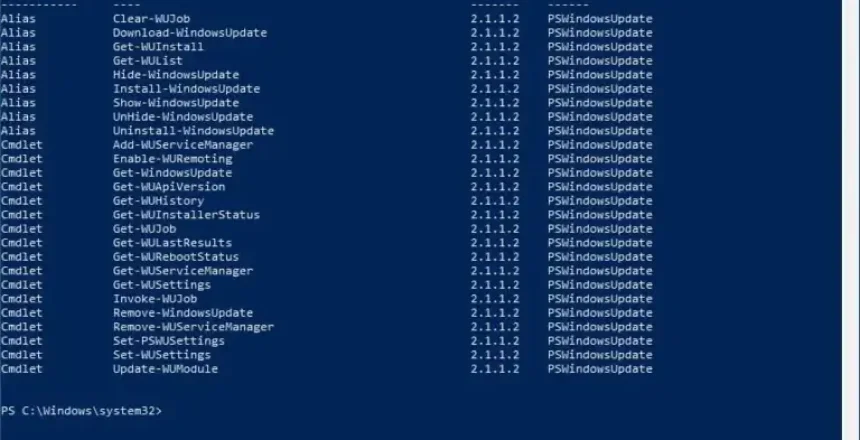
Ever since I found Winget, and UniGetUI (formerly WingetUI) to install and update Windows apps, I had hoped there was a command I could run to update Windows. It turns out there is such a program. It’s a PowerShell package that installs a bunch of commands (known as cmdlets)
Enter PSWindowsUpdate
Installing PSWindowsUpdate is easy. Search for PowerShell and enter the following commands:
Install-Module PSWindowsUpdate
Import-Module PSWindowsUpdate
Now we have access to the following useful cmdlets:
- Get-WindowsUpdate This will provide a list of Windows updates that need to be installed. You can add -ComputerName to specify a different computer on the network.
- Install-WindowsUpdate –AcceptAll This will install the listed updates
- Get-WUHistory This will show a list of installed updates, use –last 2 to show the last 2 updates
- Uninstall-WindowsUpdate This needs the -KBArticle parameter with the relevant Windows update KB number. This will attempt to uninstall the specified update.
- Install-WindowsUpdate When used with -KBArticle parameter, the specified Windows Update KB can be installed.
