
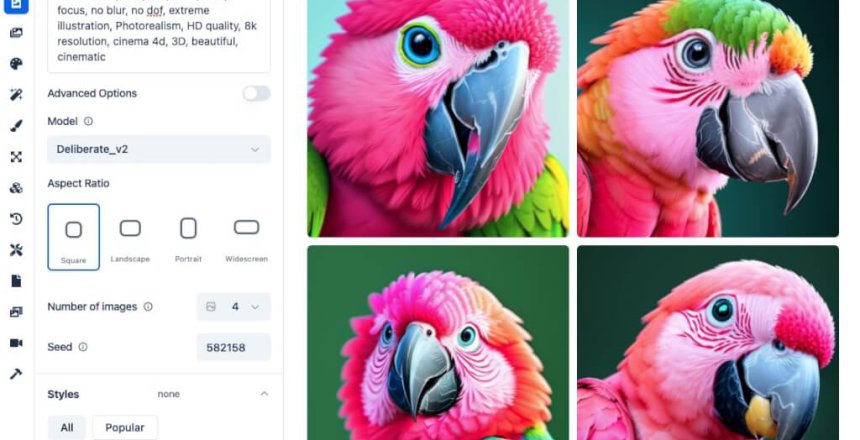
Apple introduced the M series processor back in 2020 with a built in NPU (Neural Processing Unit) with MPS (Metal Performance Shaders) so that developers could add enhanced graphics support along with ML (Machine Learning) and AI (Artificial Intelligence) into their programs. We can use this technology with Stable Diffusion to generate AI images.
What is Stable Diffusion?
Stable Diffusion is a deep learning text-to-image machine learning model that takes natural language prompts to generate AI images.
Diffusion models were trained with the objective of removing successive amounts of Gaussian noise from training images.
Stable Diffusion can be run on consumer GPUs as well as CPU-only.
How do I install it?
DiffusionBee is an optimised installer that makes use of the NPU and MPS included with the M series processor.
Features include:
- Text-to-image – Generate images from text prompts.
- Generative Fill – Add and remove objects in selected areas of your images.
- Video Tools – Generate animations and AI video.
- Image-to-image – Transform existing images using text prompts.
- Image Upscaler – Enhance images by making them sharper and increase resolution.
- Image Variants – Generate variants of an image.
- Illusion Generator – Generate illusions from your images.
- Train your own models – Use your own images to train an AI model.
DiffusionBee requires Mac OS 13.1 or higher.
Everything runs on your Mac locally, so your data remains yours.
Does DiffusionBee work on Intel Macs?
It does, however there is no NPU nor MPS on the Intel Macs so image generation will be generated very slowly using just the CPU.
