Skip to content
John The Computer Man

Do you have computer problems?

  • Computer Repair
  • About
  • Testimonials
  • Blog
  • Contact
  • Computer Repair
  • About
  • Testimonials
  • Blog
  • Contact
Facebook Instagram Envelope
  • 01424 390 079
  • 07966 151186
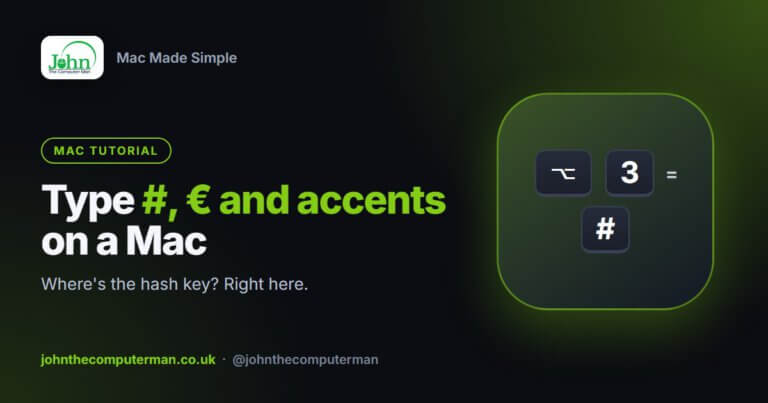
How to type special characters on mac

How to Type the Hash (#), Euro (€), Accents and Symbols on a Mac

“Where’s the hash key?” is one of the first questions UK Mac users ask. It isn’t printed on a UK Mac keyboard, but it’s there.

Read More »
How to factory reset a mac

How to Factory Reset a Mac Before Selling or Giving It Away

Before your Mac goes to a new owner, you need to remove everything personal from it and unlink it from your Apple Account. On modern
Read More »
How to add a printer to mac

How to Add a Printer to a Mac

Most modern printers work with a Mac straight away, with no driver disc and no downloads. That’s thanks to AirPrint, which is built into almost
Read More »
How to change your mac password

How to Change Your Mac Password (and What to Do If You Forget It)

Your Mac’s login password protects everything on it. It’s worth changing if someone else knows it, or if you’ve been using something far too simple.
Read More »
How to use focus and do not disturb on Mac

How to Use Focus and Do Not Disturb on a Mac

Pings from Mail, Messages and a dozen other apps make it hard to concentrate. Focus lets you silence them, either completely or with exceptions for

Read More »
How to zip and unzip files on Mac

How to Zip and Unzip Files on a Mac

Zip files bundle several files into one smaller file. They’re ideal for emailing a batch of photos or sending a whole folder in one go.
Read More »
How to copy and paste on Mac

How to Copy and Paste on a Mac (Including the Tricks Most People Miss)

Copy and paste works a little differently on a Mac than on Windows. The main change is that you use the Command (⌘) key where
Read More »
How to use mission control on Mac

How to Use Mission Control and Multiple Desktops on a Mac

If you regularly lose windows behind other windows, Mission Control is for you. It shows everything that’s open in one view, and it lets you
Read More »

How to Customise the Dock on a Mac

The Dock is the row of icons along the bottom of your Mac’s screen. Out of the box it’s full of apps you may never

Read More »
How to update your Mac

How to Update Your Mac (macOS and Apps)

Updates fix security holes, squash bugs and sometimes add new features. Keeping your Mac up to date is one of the simplest ways to keep
Read More »
How to use hot corners on a mac

How to Use Hot Corners on a Mac

Hot Corners are one of the Mac’s best hidden features. You move your pointer into a corner of the screen and something happens instantly. Your
Read More »
John The Computer Man

John Crowhurst Proprietor t/a John the Computer Man
18 Cavendish Avenue
St Leonards on Sea TN38 0NR

Where I cover: 20 mile radius from Hastings (St Leonards, Battle, Bexhill, Rye, Eastbourne)

Hours: 9:00am – 5:00pm

Hourly rate: £60 per hour

Navigation

  • Home
  • About
  • Testimonials
  • Blog
  • Contact
  • Privacy Policy
  • Terms & Conditions
Cleantalk Pixel