
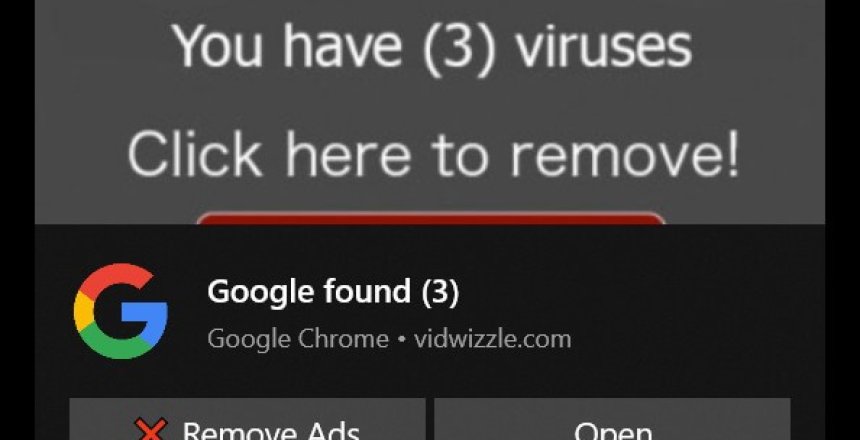
There is a nasty trend going around that I have experienced from different computer users that they have visited a website and start getting popups warning that their antivirus is out of date or their computer is infected with loads of viruses and it turn out to be a clever scam. So I have compiled a few registry changes that fix this problem.
What are Browser Notifications?
Browser notifications were originally designed to alert you whenever a website changed. It could be used by a site to push you the fact you have a new email. However, it is being abused to scam users into purchasing products they don’t need and to steal money from people.
Microsoft Edge
Right click on Start menu (the flag) and choose either Terminal (Admin) or PowerShell (Admin) then enter the following command. Make sure you include the reg add
reg add HKEY_LOCAL_MACHINE\SOFTWARE\Policies\Microsoft\Edge /v DefaultNotificationsSetting /t REG_DWORD /d 2 /f
Navigate to edge://settings/privacy/sitePermissions/allPermissions/notifications in Edge and then turn off “Ask before sending notifications (recommended)” then remove all sites in the “Allowed to send notifications” section by clicking on the three dots next to the site and choosing Remove.
Google Chrome
Right click on Start menu (the flag) and choose either Terminal (Admin) or PowerShell (Admin) then enter the following command. Make sure you include the reg add
reg add HKEY_LOCAL_MACHINE\SOFTWARE\Policies\Google\Chrome /v DefaultNotificationsSetting /t REG_DWORD /d 2 /f
Navigate to chrome://settings/content/notifications in Chrome, and then choose “Don’t allow sites to send notifications” and remove sites from the “Allowed to send notifications” section by clicking on the three dots next to the site and choosing Remove.
Suppress browser warning
When Windows 10 comes to the end of its supported life, Microsoft Edge will throw up a browser warning every time you open the browser. This registry entry prevents this warning from being shown:
SuppressUnsupportedOSWarning /t REG_DWORD /d 1 /f
