Proton VPN Free for Mac: A Free VPN With No Ads or Data Limits
Most 'free' VPNs make money somehow: ads, data limits, or selling what they learn about you. That defeats the point of a VPN.
Proton VPN's free plan is different. It has no ads and no data cap, a strict no-logs policy, and open-source apps that have been independently audited. It's funded by paying customers.
What is Proton VPN Free?
Proton VPN is a VPN service from Proton, the Swiss company behind Proton Mail. Its free plan encrypts your internet connection on public Wi-Fi and hides your IP address from websites, with unlimited data, no ads and a no-logs policy. Free users get a limited choice of server locations, one device at a time and standard speeds. Paid plans add more locations, faster speeds, streaming support and more devices.
Key features
No ads, no data cap
Use it as much as you like, with no adverts or bandwidth limits.
Safer public Wi-Fi
Encrypts your connection in cafés, hotels and airports.
Open source and audited
Apps are open source and independently audited for no-logs.
How to get started with Proton VPN Free
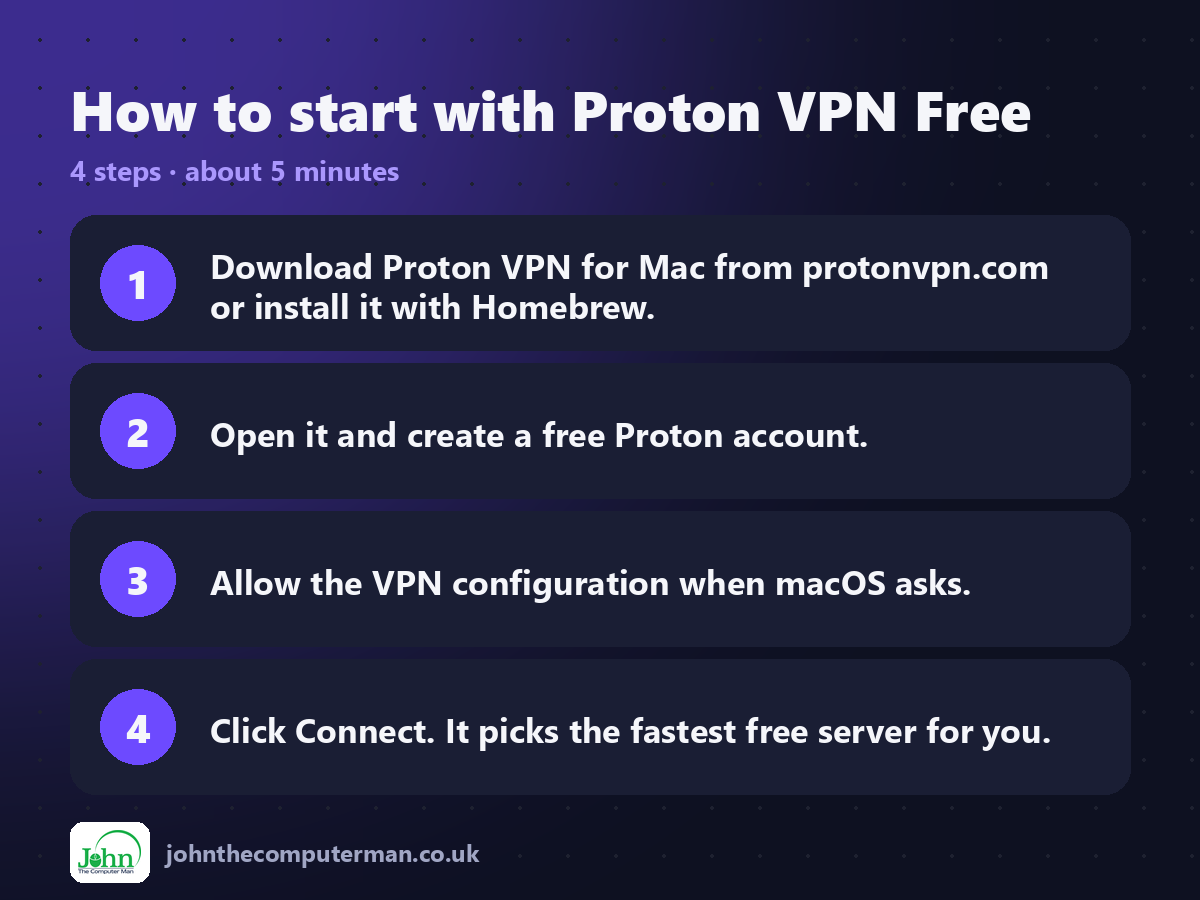
1. Download Proton VPN for Mac from protonvpn.com or install it with Homebrew.
2. Open it and create a free Proton account.
3. Allow the VPN configuration when macOS asks.
4. Click Connect. It picks the fastest free server for you.
2. Open it and create a free Proton account.
3. Allow the VPN configuration when macOS asks.
4. Click Connect. It picks the fastest free server for you.
Prefer the command line? If you use Homebrew, the free package manager for Mac, open Terminal and run:
brew install --cask protonvpn
Tips to get more out of it
• Always connect on public Wi-Fi in cafés, hotels and airports.
• Turn on the kill switch in settings to block traffic if the VPN drops.
• Free servers can be busy at peak times. Try reconnecting if it's slow.
• A VPN hides your connection, not your identity. Logging in to sites still identifies you.
• Turn on the kill switch in settings to block traffic if the VPN drops.
• Free servers can be busy at peak times. Try reconnecting if it's slow.
• A VPN hides your connection, not your identity. Logging in to sites still identifies you.
Is it really free?
The free plan has no ads and no data limit. Paid plans add more locations, speed and devices.
Pros and cons
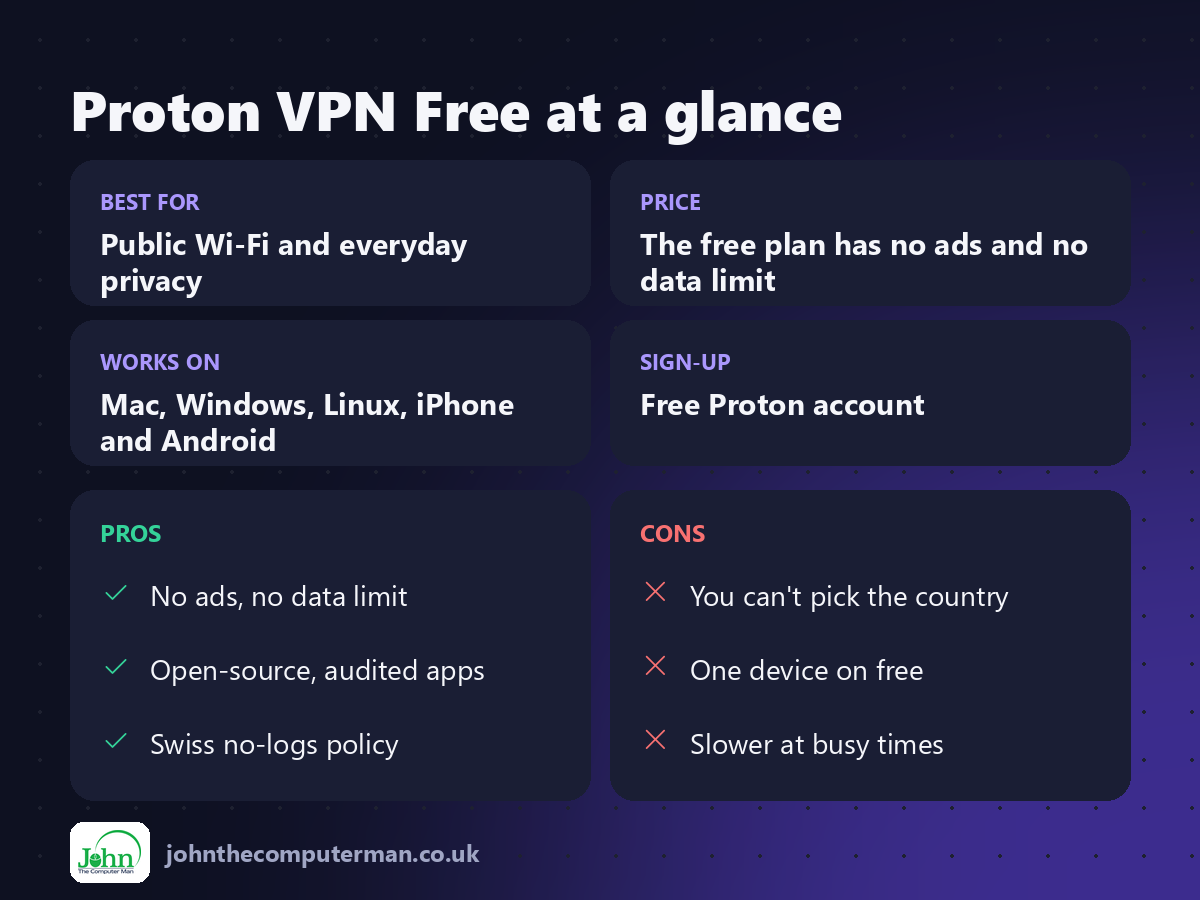
| 👍 Pros | 👎 Cons |
|---|---|
| No ads, no data limit | You can't pick the country |
| Open-source, audited apps | One device on free |
| Swiss no-logs policy | Slower at busy times |
Who is it for?
Best for: Public Wi-Fi and everyday privacy. Works on: Mac, Windows, Linux, iPhone and Android. Sign-up: Free Proton account.
Proton VPN Free alternatives
• iCloud Private Relay: built in for iCloud+ subscribers, for Safari browsing.
• Mullvad VPN: a privacy-focused paid VPN with no account email needed.
• Mullvad Browser: a free privacy browser that pairs well with a VPN.
• Mullvad VPN: a privacy-focused paid VPN with no account email needed.
• Mullvad Browser: a free privacy browser that pairs well with a VPN.
FAQ
Is Proton VPN Free really free?
Yes. There's no time limit, no ads and no data cap. Paying customers fund the free plan.
Can I use it for streaming?
Streaming services aren't supported on the free plan. That's one of the paid features.
The verdict
If you want a free VPN, Proton VPN Free is the one to choose. No ads, no data cap and a trustworthy company behind it.
👉 Try it: protonvpn.com/free-vpn
Part of the hidden-gem mac apps series on johnthecomputerman.co.uk. Follow @johnthecomputerman on Instagram for a new free Mac tool every Monday, Wednesday and Friday. Pricing and features were checked in September 2026 and can change, so check the tool's own site for the latest.
