20 Hidden-Gem Free Mac Apps Most People Have Never Heard Of (2027)
Most people have heard of VLC and LibreOffice. These twenty are different: small, clever, free apps that fix the everyday Mac annoyances most people assume they just have to live with, like one volume slider for everything, a Dock with no window previews, or a Caps Lock key that does nothing useful.
Most are open source, only two need a (free) account, and each one links to a full guide with setup steps, tips and honest pros and cons.
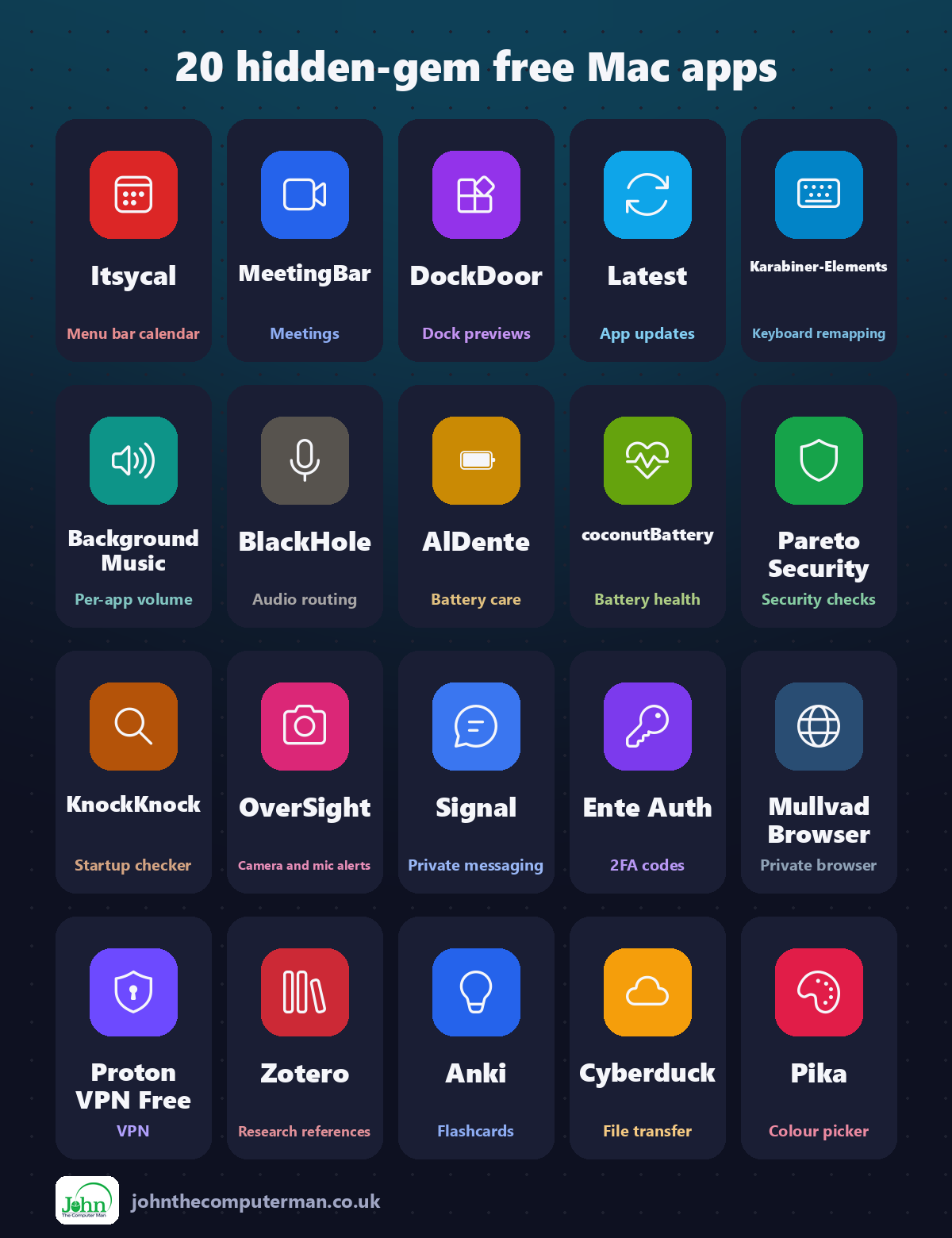
Quick comparison
| Tool | What it does | Free for | Best for |
|---|---|---|---|
| Itsycal | Menu bar calendar | Everyone | Anyone who checks dates or events often |
| MeetingBar | Meetings | Everyone | Anyone with regular video calls |
| DockDoor | Dock previews | Everyone | Windows switchers and anyone with lots of windows open |
| Latest | App updates | Everyone | Anyone who wants a secure, up-to-date Mac |
| Karabiner-Elements | Keyboard remapping | Everyone | Windows keyboard users and power users |
| Background Music | Per-app volume | Everyone | Anyone juggling calls, videos and music |
| BlackHole | Audio routing | Everyone | Podcasters, streamers and anyone recording Mac audio |
| AlDente | Battery care | Everyone (paid upgrade available) | MacBook owners who work plugged in |
| coconutBattery | Battery health | Everyone (paid upgrade available) | MacBook owners and anyone buying used Apple gear |
| Pareto Security | Security checks | Everyone | Anyone who wants a safer Mac without the jargon |
| KnockKnock | Startup checker | Everyone | Curious users and anyone worried about malware |
| OverSight | Camera and mic alerts | Everyone | Privacy-minded users and anyone who works from home |
| Signal | Private messaging | Everyone | Anyone who values private conversations |
| Ente Auth | 2FA codes | Everyone | Anyone who uses two-factor authentication |
| Mullvad Browser | Private browser | Everyone | Private browsing and sensitive searches |
| Proton VPN Free | VPN | Everyone (free plan) | Public Wi-Fi and everyday privacy |
| Zotero | Research references | Everyone | Students, researchers and writers |
| Anki | Flashcards | Everyone | Students, language learners and exam preparation |
| Cyberduck | File transfer | Everyone | Website owners, developers and cloud storage users |
| Pika | Colour picker | Everyone | Designers, crafters and web makers |
Menu bar and Dock
1. Itsycal: a tiny, free calendar for your Mac's menu bar
Your Mac shows the time and date in the menu bar, but click it and you get notifications, not a calendar. Checking what date next Thursday is means opening the Calendar app.
Why it's great: Click the menu bar icon to see the whole month, with week numbers if you want them.
Is it free? Free and open source. No ads, no account and no paid version.
2. MeetingBar: see your next meeting and join it in one click
A meeting starts in two minutes. You open your calendar, find the event, scroll to the link, click it, and arrive late anyway.
Why it's great: The title and time until your next meeting sit in your menu bar.
Is it free? Free and open source. No ads and no paid version.
3. DockDoor: free window previews when you hover over the Dock
On Windows, hover over a taskbar icon and you see a preview of every window. On a Mac, you click the Dock icon and hope the right window comes forward.
Why it's great: Hover over any Dock icon to see all of that app's windows.
Is it free? Free and open source. No ads and no paid version. Donations are welcome.
4. Latest: a free app that shows every update waiting on your Mac
App Store apps update themselves. But many Mac apps come from developers' websites, each with its own updater, and some you only open once a month. Out-of-date apps can have security holes.
Why it's great: Mac App Store and many other apps, checked together.
Is it free? Free and open source. No ads, no account and no paid version.
Keyboard, sound and battery
5. Karabiner-Elements: free, powerful keyboard remapping for macOS
Caps Lock sits in one of the best spots on your keyboard and does almost nothing. Plug in a Windows keyboard and the Command and Option keys are the wrong way round.
Why it's great: Turn Caps Lock into Escape, Control or anything else in a few clicks.
Is it free? Free and open source. No ads, no account and no paid version.
6. Background Music: free per-app volume control and auto-pausing music for Mac
Your Mac has one volume slider for everything. So when a video call is too quiet and your music is too loud, you can't fix both.
Why it's great: Turn down a noisy browser tab without touching your call.
Is it free? Free and open source. No ads and no paid version.
7. BlackHole: a free virtual audio cable for recording and streaming
Want to record a video call, the sound from a website, or your Mac's audio for a tutorial? macOS doesn't make it easy. Most apps can only record from a microphone.
Why it's great: Capture any sound your Mac plays in Audacity, QuickTime and more.
Is it free? Free and open source. The website asks for an email to download, but Homebrew doesn't.
8. AlDente: set a charge limit to help your MacBook battery last longer
Lithium-ion batteries age faster when they sit at 100% for long periods. If your MacBook is plugged in at a desk all day, that's exactly what's happening.
Why it's great: Stop charging at 80% or any level you choose.
Is it free? The core charge limiter is free. AlDente Pro is a paid upgrade with extra features.
9. coconutBattery: check the real health of your Mac, iPhone and iPad batteries
macOS tells you your battery is 'Normal' or needs service. But how much capacity has it actually lost? And is that second-hand MacBook's battery as good as the seller says?
Why it's great: See capacity as a percentage of the original design.
Is it free? Free. coconutBattery Plus is an optional paid upgrade with extra features.
Check your Mac's security
10. Pareto Security: a free security checklist for your Mac's menu bar
Is FileVault on? Is your firewall enabled? Does your Mac lock itself when you walk away? Most people have no idea, and the settings are scattered all over System Settings.
Why it's great: A menu bar icon shows whether every check has passed.
Is it free? Free and open source for personal use. Paid plans are for businesses managing teams.
11. KnockKnock: a free tool that shows everything set to run on your Mac
Apps love to add themselves to your Mac's startup: helpers, updaters, background agents. Malware does the same thing to survive a restart.
Why it's great: Launch agents, login items, extensions and more, in one list.
Is it free? Free and open source. No ads and no paid version. Objective-See is supported by donations.
12. OverSight: free alerts when your Mac's camera or microphone turns on
Your Mac shows a green light for the camera and a dot for the mic, but they're easy to miss, and they don't make it obvious which app is responsible.
Why it's great: A notification the moment your camera or mic turns on.
Is it free? Free and open source. No ads and no paid version. Objective-See is supported by donations.
Stay private
13. Signal: free, end-to-end encrypted messaging from a non-profit
Most messaging apps are made by advertising companies. Even when messages are encrypted, they often collect plenty of information about who you talk to and when.
Why it's great: Messages, calls and files are end-to-end encrypted. Nobody else can read them.
Is it free? Free and open source, funded by donations. No ads and no paid version.
14. Ente Auth: free, open-source two-factor codes on your Mac and phone
Two-factor authentication keeps your accounts safe, but if your codes live only on one phone, losing that phone can lock you out of everything.
Why it's great: See your 2FA codes on your Mac and phone, always in sync.
Is it free? Free and open source. No ads and no paid version.
15. Mullvad Browser: a free privacy browser from the Tor Project and Mullvad
Clearing cookies isn't enough anymore. Websites can identify you from your browser's unique fingerprint: your screen size, fonts, settings and more.
Why it's great: Designed so every user looks alike, making you hard to track.
Is it free? Free and open source. No ads and no account.
16. Proton VPN Free: a genuinely free VPN with no ads and no data cap
Most 'free' VPNs make money somehow: ads, data limits, or selling what they learn about you. That defeats the point of a VPN.
Why it's great: Use it as much as you like, with no adverts or bandwidth limits.
Is it free? The free plan has no ads and no data limit. Paid plans add more locations, speed and devices.
Study, research and files
17. Zotero: free reference manager for students and researchers
Essays and dissertations mean dozens of sources and a bibliography in exactly the right style. Doing it by hand takes hours and is easy to get wrong.
Why it's great: The browser extension grabs a source's details, and the PDF if available.
Is it free? Free and open source. Sync is free up to 300 MB, with paid plans for more storage.
18. Anki: free flashcards that use spaced repetition to help you remember
Cramming works until the exam. A week later, most of it's gone. Spaced repetition, reviewing things just before you're about to forget them, is one of the most effective ways to learn.
Why it's great: Anki shows each card just before you'd forget it.
Is it free? Free and open source on Mac, Windows, Linux and Android. The iPhone app is a one-off purchase that funds development.
19. Cyberduck: a free file browser for FTP, SFTP and cloud storage
Updating a website, uploading to a server or moving files between cloud services usually means a different app or web page for each.
Why it's great: FTP, SFTP, WebDAV, S3, Google Drive, Dropbox, OneDrive and more.
Is it free? Free and open source. It asks for a donation, which removes the prompt. The Mac App Store version is paid.
20. Pika: a free, beautiful colour picker for designers and makers
You see a colour you love on a website, a photo or an app, and want the exact code for it. Your Mac does have a colour picker, but it's buried in a utility most people never open.
Why it's great: Grab any pixel on screen with a magnifier for precision.
Is it free? Free and open source. No ads and no paid version.
Install all twenty in one go
If you use Homebrew, the free command-line app installer for Mac, open Terminal and paste this to install the whole list from the official sources:
brew install --cask itsycal meetingbar dockdoor latest karabiner-elements background-music blackhole-2ch aldente coconutbattery pareto-security knockknock oversight signal ente-auth mullvad-browser protonvpn zotero anki cyberduck pika
Later, brew upgrade --cask --greedy updates them all in one go. Don't want to use Terminal? Every app has a download link above, and it's the same app either way.
Where to start
Start with the quick wins. Pareto Security takes a minute and tells you if your Mac's basic security is switched on, and Latest shows which apps need updating. Then pick the annoyance that bugs you most: Background Music for per-app volume, DockDoor for window previews, or Karabiner-Elements to finally make Caps Lock useful. If your MacBook lives on a desk, set an 80% limit in AlDente.
One last tip: download only from the official sites linked above. Fake download pages that bundle adware with popular free apps are common, and they often appear above the real site in search results.
More in this series: Best Free Mac Tools · 10 More Free Mac Tools · Free Mac Apps That Replace Paid Software · Free Creative Apps for Mac
All tools were free to use at the time of writing (September 2026). Licences change, so check each tool's site for current details. More free tech tips at johnthecomputerman.co.uk and @johnthecomputerman on Instagram.
