This post is inspired by a project called Just The Browser. By adding some additional entries to the files, you can also prevent the refund scam used by scammers because they change the web page to look like you have been given more money than they claimed.
What is Just The Browser?
Just The Browser is a series of changes you can make to Microsoft Edge, Google Chrome and Mozilla Firefox to remove AI features, telemetry data reporting, sponsored content, product integrations, and other annoyances.
For Microsoft Edge and Google Chrome on Windows, these changes are made through a registry file. For Mozilla Firefox, they are made through a policys.json file.
What are my changes?
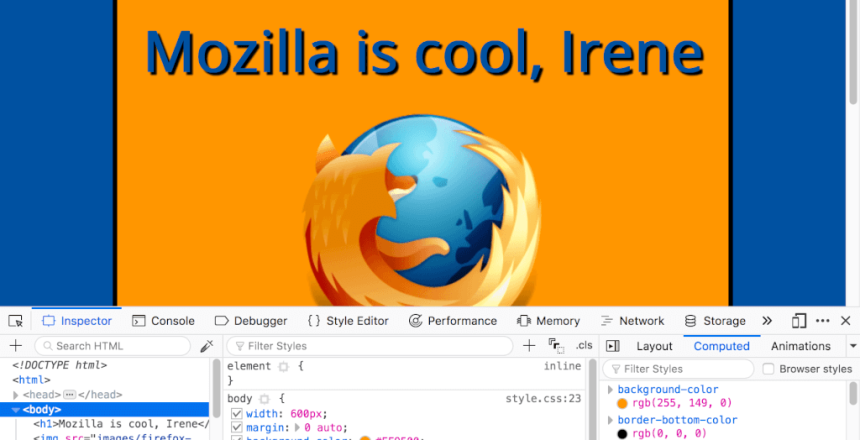
The following changes disable the developer tools functionality in the browser that prevents a scammer pressing F12 and making changes to the web page.
Windows
For Microsoft Edge, add the following to the bottom of the edge.reg file you download from their website:
“DeveloperToolsAvailability”=dword:00000000
For Google Chrome, add the following to the bottom of the chrome.reg file:
“DeveloperToolsDisabled”=dword:00000001
For Mozilla Firefox, in the policies.json file just after “policies”: { add this line:
“DisableDeveloperTools”: true,
For Microsoft Edge and Chrome, save the changes and right click on the reg file and choose Open with Registry editor. For Mozilla Firefox, close and reopen the browser.
Mac
For Chrome, open Terminal from Applications -> Utilities and paste the following line:
defaults write com.google.Chrome DeveloperToolsAvailability -int 0
For Safari, use the following instead:
defaults write com.apple.Safari IncludeDevelopMenu -bool false
defaults write com.apple.Safari IncludeInternalDebugMenu 0
For Firefox, add the entry as with Windows.