HandBrake for Mac: Shrink and Convert Videos for Free
A ten-minute iPhone video can easily be a gigabyte or more. Too big to email, slow to upload, and eating your storage.
HandBrake shrinks it, often to a fraction of the size, with barely any visible difference. It also converts almost any video into MP4 so it plays everywhere.
What is HandBrake?
HandBrake is a free, open-source video transcoder for Mac, Windows and Linux. It converts video from almost any format into MP4, MKV or WebM using ready-made presets for devices and websites, and can resize, crop, add subtitles and batch-convert whole folders. On Macs it can use Apple's hardware encoders for much faster conversions.
Key features
Shrink big videos
Cut file sizes dramatically, with quality that's hard to tell apart.
Presets for everything
One click for YouTube, iPhone, email-friendly and more.
Batch conversion
Queue up a whole folder of videos and let HandBrake work through them.
How to get started with HandBrake
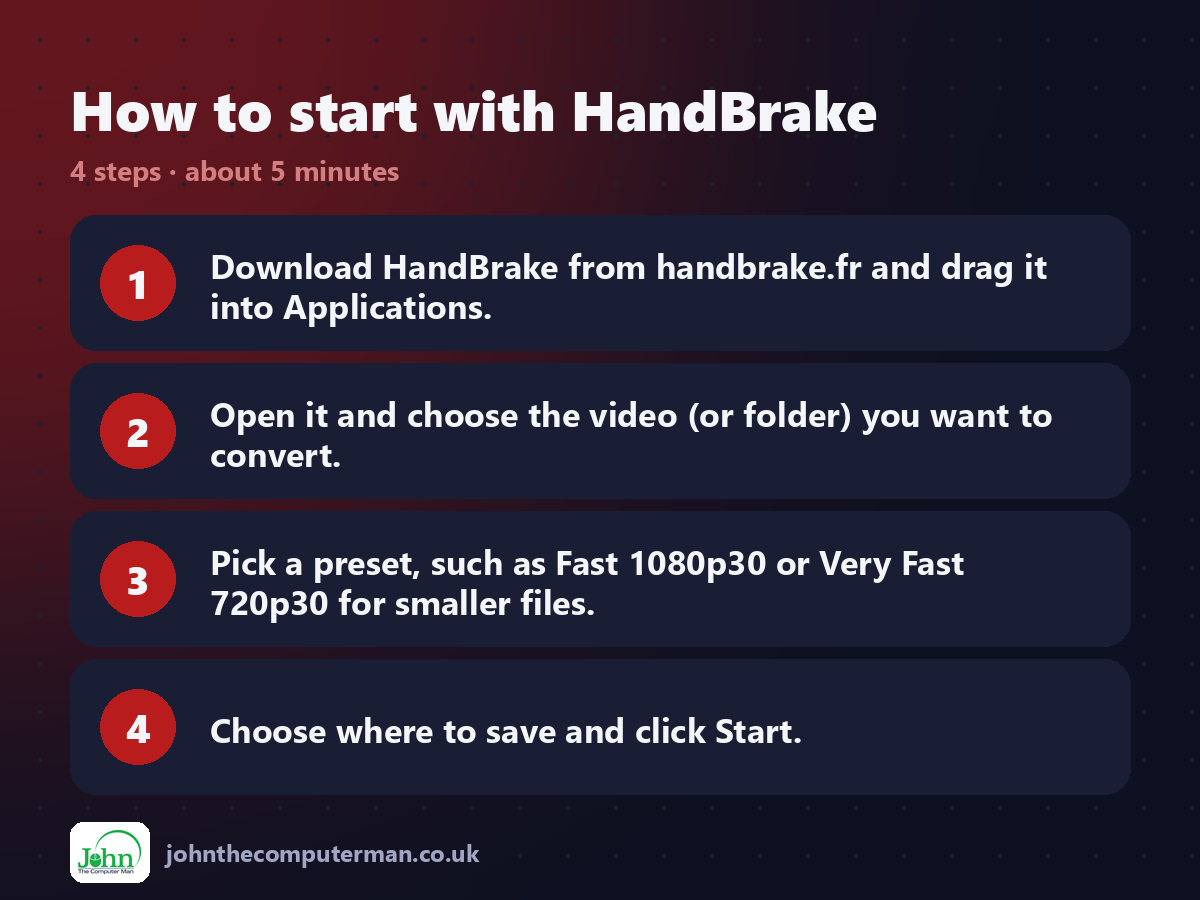
1. Download HandBrake from handbrake.fr and drag it into Applications.
2. Open it and choose the video (or folder) you want to convert.
3. Pick a preset, such as Fast 1080p30 or Very Fast 720p30 for smaller files.
4. Choose where to save and click Start.
2. Open it and choose the video (or folder) you want to convert.
3. Pick a preset, such as Fast 1080p30 or Very Fast 720p30 for smaller files.
4. Choose where to save and click Start.
Prefer the command line? If you use Homebrew, the free package manager for Mac, open Terminal and run:
brew install --cask handbrake-app
Tips to get more out of it
• Choose the VideoToolbox presets for much faster conversions on a Mac.
• Very Fast 720p30 makes small, shareable videos for email or WhatsApp.
• Add videos to the Queue and convert them all overnight.
• HandBrake can't copy protected DVDs or Blu-rays. It's for your own videos.
• Very Fast 720p30 makes small, shareable videos for email or WhatsApp.
• Add videos to the Queue and convert them all overnight.
• HandBrake can't copy protected DVDs or Blu-rays. It's for your own videos.
Is it really free?
Free and open source. No ads, no watermark and no paid version.
Pros and cons
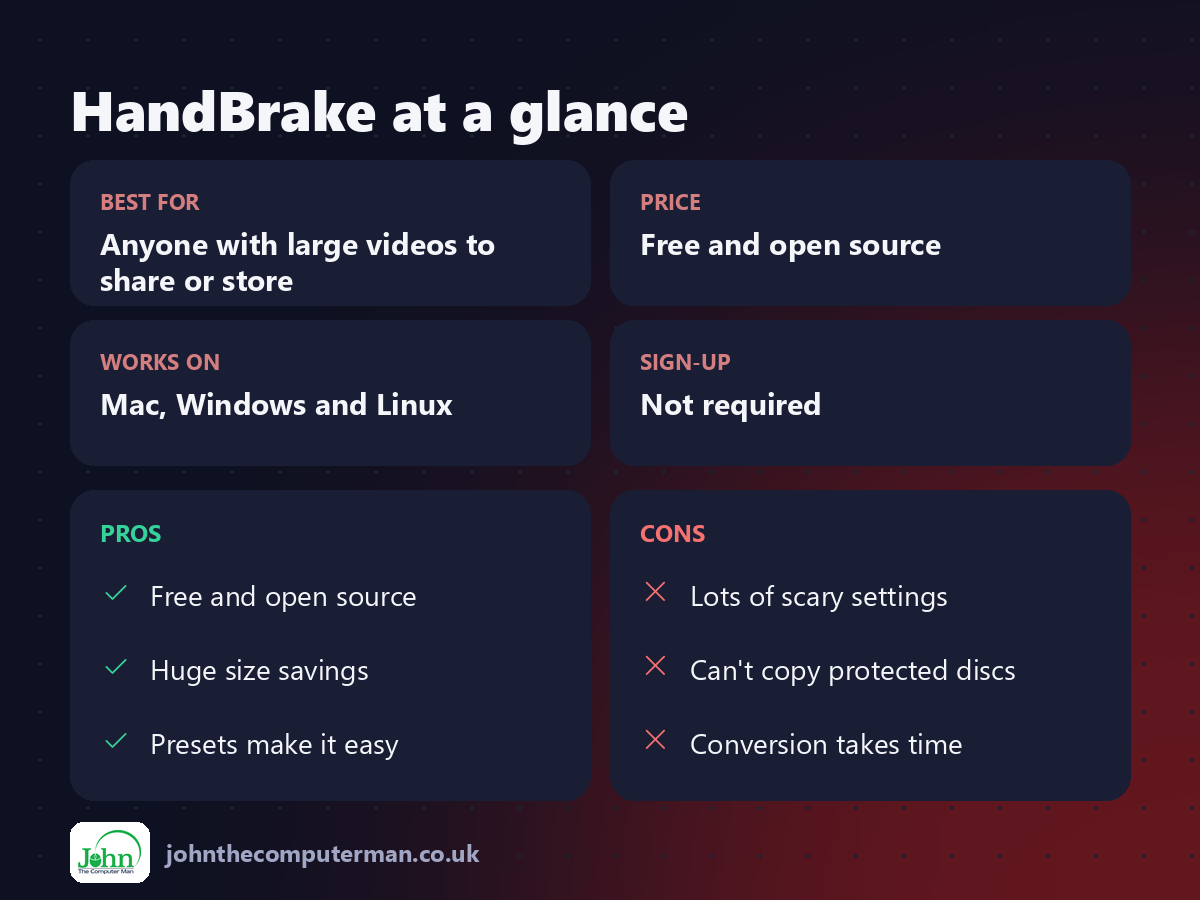
| 👍 Pros | 👎 Cons |
|---|---|
| Free and open source | Lots of scary settings |
| Huge size savings | Can't copy protected discs |
| Presets make it easy | Conversion takes time |
Who is it for?
Best for: Anyone with large videos to share or store. Works on: Mac, Windows and Linux. Sign-up: Not required.
HandBrake alternatives
• Finder's Encode Selected Video Files: built in: right-click a video in Finder for simple conversions.
• Shutter Encoder: a free converter with more pro formats.
• FFmpeg: the free command-line tool many converters are built on.
• Shutter Encoder: a free converter with more pro formats.
• FFmpeg: the free command-line tool many converters are built on.
FAQ
Will HandBrake reduce quality?
Slightly, as all compression does, but with the standard presets the difference is usually hard to spot.
Is HandBrake safe?
Yes, when downloaded from handbrake.fr. It's open source and has been around since 2003.
Step-by-step tutorials
• How to Free Up Storage Space on Your Mac (Free Tools, Step by Step)
• How to Compress a Video on a Mac for Email or WhatsApp (Free)
• How to Compress a Video on a Mac for Email or WhatsApp (Free)
The verdict
HandBrake is the best free way to shrink and convert video on a Mac. Pick a preset, press Start, and get your storage back.
👉 Try it: handbrake.fr
Part of the free mac apps that replace paid software series on johnthecomputerman.co.uk. Follow @johnthecomputerman on Instagram for a new free Mac tool every Monday, Wednesday and Friday. Pricing and features were checked in September 2026 and can change, so check the tool's own site for the latest.
