8 Best Free Mac Tools in 2026 (That Are Actually Free)
Macs come with plenty of good apps, but there are some everyday gaps. Windows don't snap into place, the clipboard forgets everything, RAR files won't open, and deleting an app leaves its junk behind. Search for 'free Mac apps' and you'll mostly find trials and subscriptions.
These are the eight free apps I install on almost every Mac I set up. Six of the eight are open source, none need an account, and each one links to a full guide with setup steps, tips and honest pros and cons.
Quick comparison
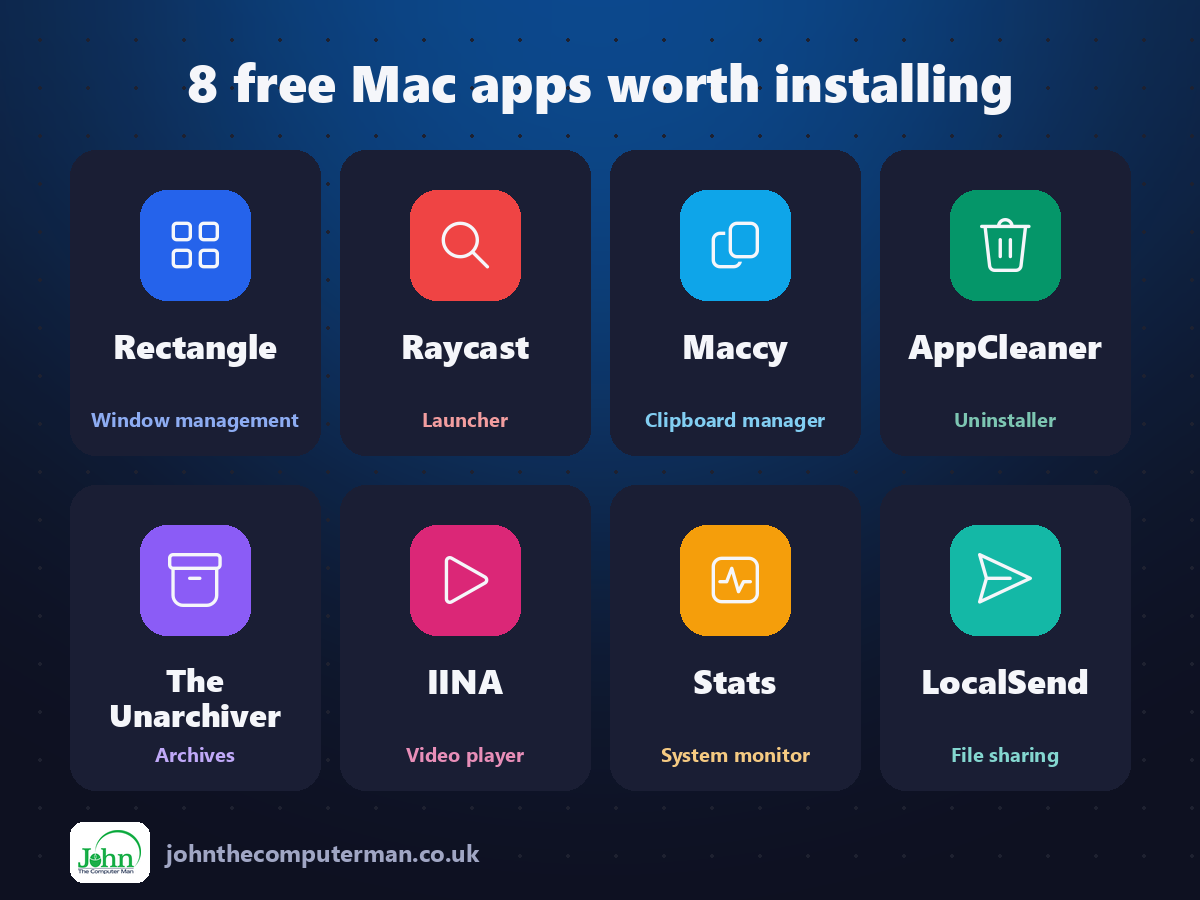
| Tool | What it does | Free for | Best for |
|---|---|---|---|
| Rectangle | Window management | Everyone | Anyone who works with two or more windows at once |
| Raycast | Launcher | Everyone (Pro is paid) | Keyboard lovers who want to do more without the mouse |
| Maccy | Clipboard manager | Everyone | Anyone who copies and pastes all day |
| AppCleaner | Uninstaller | Everyone | Anyone who tries out lots of apps |
| The Unarchiver | Archives | Everyone | Anyone who downloads files or gets archives from Windows users |
| IINA | Video player | Everyone | Anyone who watches downloaded videos on a Mac |
| Stats | System monitor | Everyone | Curious Mac users and anyone chasing a slowdown |
| LocalSend | File sharing | Everyone | Homes and offices with a mix of Apple and non-Apple devices |
Work faster
1. Rectangle: free, open-source window snapping for your Mac
If you've switched from Windows, one of the first things you miss is dragging a window to the side of the screen and having it snap neatly into half. On a Mac you end up resizing windows by hand, again and again.
Why it's great: Control+Option+Left arrow snaps a window to the left half. Right arrow for the right half, Return to fill the screen.
Is it free? Free and open source. A paid Rectangle Pro adds extras, but you don't need it.
2. Raycast: a free, supercharged replacement for Spotlight

Spotlight is fine for opening apps. But what if the same box could also bring back something you copied an hour ago, snap a window to half the screen, convert currencies and search your files?
Why it's great: Search everything you've copied, including images and links, and paste it back with a keystroke.
Is it free? The core app is free, with no time limit. Raycast Pro is a paid subscription for AI and cloud sync.
3. Maccy: a tiny, free clipboard history for macOS
You copy a link, then copy something else, and the link is gone. Your Mac's clipboard only holds one thing at a time, which is fine until the day it isn't.
Why it's great: Press Shift+Command+C and start typing to find anything you've copied, even days ago.
Is it free? Free and open source from maccy.app or Homebrew. The Mac App Store version is paid, to support the developer.
Keep your Mac tidy
4. AppCleaner: free uninstaller that removes the files apps leave behind
On a Mac you uninstall an app by dragging it to the Bin. Easy. But the app's settings, caches and support files stay behind in hidden Library folders, sometimes taking up gigabytes.
Why it's great: Preferences, caches, containers and support files that dragging to the Bin never touches.
Is it free? Free. No ads, no upsells and no account. Donations are welcome.
5. Stats: a free, open-source system monitor for your menu bar

Your Mac is suddenly slow, the fans are spinning, or the battery is draining fast. Something's working hard, but what?
Why it's great: CPU, memory, network and more at a glance, as numbers, bars or mini graphs.
Is it free? Free and open source. No ads and no paid version. Donations are welcome.
6. The Unarchiver: open RAR, 7z and almost any archive on your Mac
Your Mac opens ZIP files without any help. Then someone sends you a .rar or .7z file, you double-click it, and nothing useful happens.
Why it's great: RAR, 7z, TAR, ISO, CAB and even old StuffIt files. If it's an archive, it'll probably open.
Is it free? Free on the Mac App Store, with no in-app purchases.
Everyday essentials
7. IINA: a modern, free video player built for macOS

QuickTime Player looks nice, but try opening an MKV file or a video with separate subtitles and it gives up. VLC can play them, but it doesn't feel like a Mac app.
Why it's great: MKV, AVI, WebM, FLAC and more. No codec packs, no conversions, no 'unsupported format'.
Is it free? Free and open source. No ads, no account and no paid version.
8. LocalSend: free AirDrop-style sharing between Mac, Windows, Android and iPhone

AirDrop is brilliant, as long as everyone has an Apple device. The moment you need to send a photo to an Android phone or a file to a Windows laptop, you're back to emailing it to yourself.
Why it's great: Mac, Windows, Linux, Android and iPhone. Send a file from any of them to any other.
Is it free? Free and open source. No ads, no account and no paid version.
Install all eight in one go
If you use Homebrew, the free command-line app installer for Mac, open Terminal and paste this to install the whole list from the official sources:
brew install --cask rectangle raycast maccy appcleaner the-unarchiver iina stats localsend
Later, brew upgrade --cask --greedy updates them all in one go. Don't want to use Terminal? Every app has a download link above, and it's the same app either way.
Where to start
If you only install one thing this week, make it Rectangle. Snapping windows side by side with one shortcut changes how you use your Mac. Then add Maccy so you never lose something you copied, and The Unarchiver so no archive can stump you. If you like working from the keyboard, Raycast is the next step up.
One last tip: download only from the official sites linked above. Fake download pages that bundle adware with popular free apps are common, and they often appear above the real site in search results.
More in this series: 10 More Free Mac Tools · Free Mac Apps That Replace Paid Software · Hidden-Gem Mac Apps · Free Creative Apps for Mac
All tools were free to use at the time of writing (September 2026). Licences change, so check each tool's site for current details. More free tech tips at johnthecomputerman.co.uk and @johnthecomputerman on Instagram.
