Skip to content
John The Computer Man

Do you have computer problems?

  • Computer Repair
  • About
  • Testimonials
  • Blog
  • Contact
  • Computer Repair
  • About
  • Testimonials
  • Blog
  • Contact
Facebook Instagram Envelope
  • 01424 390 079
  • 07966 151186
New Outlook vs Classic Outlook

New Outlook vs Classic Outlook: What’s the Difference (and How to Switch)

Microsoft is gradually moving everyone from classic Outlook — the version that’s been around for decades — to new Outlook for Windows. If your Outlook

Read More »
How to use copilot in Word

How to Use Copilot in Word (Beginner’s Guide)

Copilot is Microsoft’s AI assistant, built right into Word. It can write a first draft for you, rewrite clumsy paragraphs, summarise a long report, and
Read More »
Word keyboard shortcuts for beginners

Word Keyboard Shortcuts for Beginners (The Ones You’ll Actually Use)

Every time you move your hand from the keyboard to the mouse, you lose a second or two. Over a day of writing, that adds
Read More »
How to change the date format in Excel

How to Change the Date Format in Excel (and Fix Dates That Won’t Change)

Dates in Excel can be displayed any way you like: 05/10/2026, 5 Oct 2026, Monday 5 October. Changing the format takes a few seconds. The

Read More »
How to calculate percentages in Excel

How to Calculate Percentages in Excel (4 Formulas You’ll Actually Use)

There’s no PERCENT function in Excel. Percentages are just simple division and multiplication, plus the right formatting. These four formulas cover almost everything you’ll need.
Read More »
How to make a chart in Excel

How to Make a Chart in Excel (Beginner’s Guide)

A good chart makes a point instantly — sales going up, which product sells best, where the money goes. Excel can build one from your
Read More »
How to recall and email in Outlook

How to Recall an Email in Outlook (and When It Won’t Work)

We’ve all done it: sent an email to the wrong person, forgotten the attachment, or hit Send a little too quickly. Outlook has a Recall

Read More »
How to use conditional formatting in Excel

How to Use Conditional Formatting in Excel (Beginner’s Guide)

Conditional formatting changes the colour of cells automatically based on what’s in them. Overdue invoices turn red, top sales go green, duplicates light up —
Read More »
How to create a pivot table in Excel

How to Create a Pivot Table in Excel (Beginner’s Guide)

PivotTables have a reputation for being complicated, but they’re one of the easiest ways to make sense of a big spreadsheet. With a few clicks
Read More »
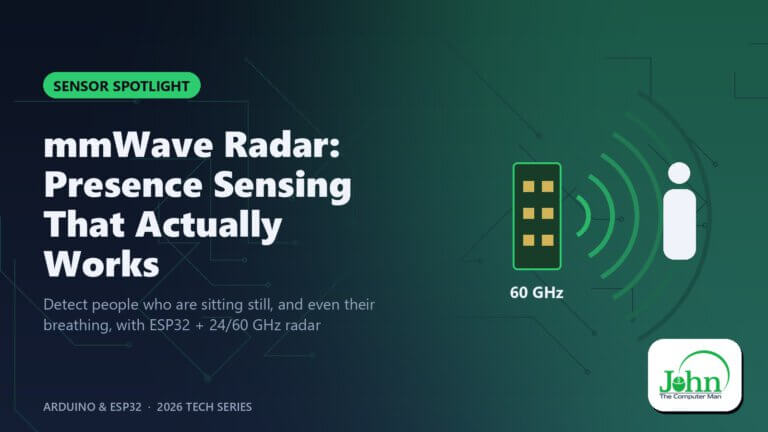
mmWave Radar: Presence Sensing That Actually Works

mmWave Radar: Presence Sensing That Actually Works

Detect people who are sitting still, and even their breathing, with ESP32 + 24/60 GHz radar PIR sensors have a well-known problem: if you sit
Read More »
Bitwarden: An open-source password manager with a generous free plan

Bitwarden Free Review: The Best Free Password Manager?

Reusing a password is the easiest way to lose several accounts at once. When one site leaks, attackers try that email and password everywhere else.
Read More »
Snap Windows Side by Side: Built-in tiling, plus free Rectangle for halves and thirds

How to Split Screen and Snap Windows Side by Side on a Mac

Comparing two documents, writing while you research, or keeping a video call next to your notes: side-by-side windows make it all easier. But on a

Read More »
Rectangle: Free, open-source window snapping for your Mac

Rectangle: Free Window Snapping for Mac (Split Screen Made Easy)

If you’ve switched from Windows, one of the first things you miss is dragging a window to the side of the screen and having it
Read More »
PowerToys: Microsoft's free toolbox of power-user extras for Windows

Microsoft PowerToys: The Free Add-On Every Windows User Should Install

Some of the most useful Windows features aren’t built into Windows at all. Microsoft ships them separately, for free, in an app called PowerToys. It
Read More »
ESP32-S31: The New Maker Flagship

ESP32-S31: The New Maker Flagship

Dual-core RISC-V, Wi-Fi 6, Bluetooth 5.4, Thread and a gigabit Ethernet MAC on one chip ESP32-S31: The New Maker Flagship The ESP32-S3 has been the

Read More »
Illustration of a computer monitor showing a speedometer with the needle pointing to slow

Why Is My Computer So Slow? 8 Fixes That Actually Work

You click a folder and wait… You open a browser and go make a coffee. A slow computer is one of the most common tech

Read More »
Photopea: A full image editor that runs right in your browser

Photopea Review: The Free Photoshop Alternative That Runs in Your Browser

Photoshop is brilliant, but a monthly subscription is a lot to pay if you only edit images now and then. Photopea fills that gap: a

Read More »
Illustration of stacked email envelopes with an unread badge showing 99+

Email Headaches Solved: Spam, Full Inboxes and Messages That Won’t Sync

From overflowing inboxes to emails that never arrive, here’s how to fix the most common email problems.

Read More »
Illustration of a settings gear with a question mark in the center

Can’t Find That Setting? How to Navigate Windows and macOS When Everything Moves

Operating system updates keep rearranging menus. Here are the shortcuts and search tricks that make any setting easy to find.

Read More »
Illustration of a software package box with an error badge

Program Won’t Install or Open? Common Causes and Fixes

Installers that fail, apps that crash on launch, and ‘this app can’t run on your PC’ errors: here’s what’s behind them and how to fix it.
Read More »
« Previous Page1 … Page4 Page5 Page6 Page7 Page8 Next »
John The Computer Man

John Crowhurst Proprietor t/a John the Computer Man
18 Cavendish Avenue
St Leonards on Sea TN38 0NR

Where I cover: 20 mile radius from Hastings (St Leonards, Battle, Bexhill, Rye, Eastbourne)

Hours: 9:00am – 5:00pm

Hourly rate: £60 per hour

Navigation

  • Home
  • About
  • Testimonials
  • Blog
  • Contact
  • Privacy Policy
  • Terms & Conditions
Cleantalk Pixel